Why your landing page is not generating enough leads
Traffic is arriving. Enquiries are not. Before you raise the ad budget or blame the platform, check the page those clicks are landing on.
Your ads are getting clicks. The traffic reports look healthy. But the phone is not ringing much, the enquiry form is quiet, and you are starting to wonder whether paid advertising works at all.
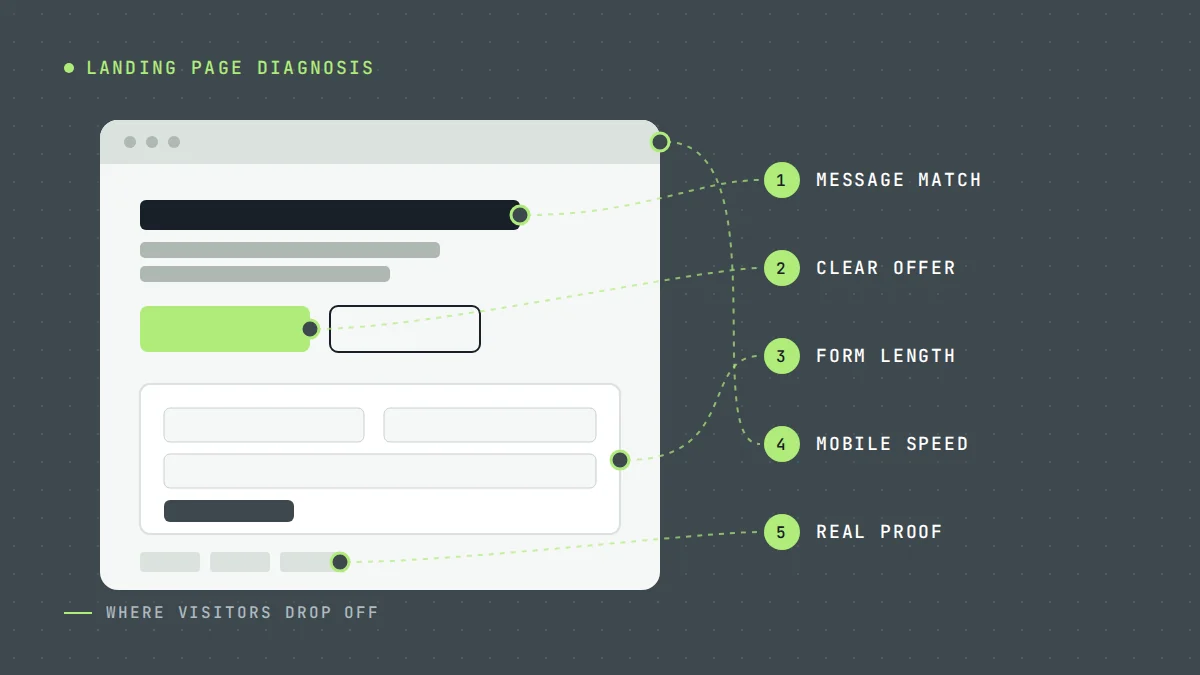
When that happens, the landing page is usually the first place to look. It is where paid traffic either becomes a lead or leaves. Below are nine of the most common reasons a lead generation landing page underperforms, and what to do about each one. But first, one check that saves a lot of wasted effort.
First, rule out tracking
Before changing the page, make sure the problem is real. Landing pages sometimes look like they are failing because leads are not being recorded properly.
- Submit the form yourself, on a phone and a desktop. Does it arrive? Is it counted as a conversion?
- Call the number from the page. Does it connect, and is the call tracked?
- Compare the conversions your ad platform reports with the enquiries your team actually received over the same period.
If the numbers do not match, fix the tracking first. Otherwise you may "fix" a page that was working.
1. The page does not match the ad
Someone searched for "water heater replacement", clicked an ad promising water heater replacement, and landed on a page headed "Complete Plumbing Solutions". Technically relevant. Practically, it forces them to wonder whether they are in the right place.
The fix is simple: make the headline repeat the promise the ad made. If the ad is about water heater replacement in a specific area, the page should say so immediately. This is called message match, and it is one of the simplest improvements you can make.
2. It is a homepage, not a landing page
Homepages are built to serve everyone: past customers, job seekers, suppliers, people checking your hours. That makes them poor destinations for paid traffic, which arrives with one specific need.
So create dedicated landing pages for each core service. Keep the navigation minimal, focus on one service, and give the visitor one main action to take. See how we approach this in our lead generation systems.
3. The headline is about you, not them
"Welcome to Smith Roofing, family owned since…" tells the visitor about you. They came to solve a problem.
Instead, lead with the outcome and the service. "Roof leak repair in [area]" followed by what makes you credible works better than a welcome message. Your history can support the decision further down the page.
4. The offer is vague
"Contact us today" is not an offer. It asks the visitor to do something without telling them what they get.
The fix: make the next step specific and low-risk. For emergency work, that is usually "Call now" with clear availability. For considered purchases, it might be a free inspection, an estimate or a consultation, but only if that is something you genuinely offer. Say what happens after they enquire, and roughly when.
5. The form asks too much, or too little
Long forms create friction. Every required field is another reason to leave, especially on a phone. But very short forms can create a different problem: lots of low-quality enquiries that waste your team's time.
The answer is to match the form to the decision. An urgent repair form needs a name, phone number, location and a short description. A solar or remodeling consultation form can reasonably ask about homeownership, budget range and timeframe, because those answers determine whether a consultation makes sense. For longer forms, splitting questions into two short steps often feels easier than one long page.
Example
A roofing company getting lots of low-intent enquiries from renters and price-checkers adds two questions: "Do you own the property?" and "When are you hoping to start?" Fewer leads come in, but more of them turn into inspection appointments. Whether that is a good trade depends on the numbers after the lead, which is why cost per customer matters more than cost per lead.
6. It is slow on mobile
Most people searching for local services do it on a phone, often on a mobile connection. A page that takes several seconds to show anything useful loses people before they have read a word.
Here is what to do: test the page on a real phone, not just a desktop browser. Compress images, remove unnecessary scripts and plugins, and avoid large sliders and background videos. Google's PageSpeed Insights will show you the main problems, and Core Web Vitals explain what the scores mean. Make sure the headline, the offer and the phone number appear quickly, without waiting for everything else to load.
7. The phone number is hard to use
For many trades, the phone call is the conversion. Yet many pages bury the number in the footer, display it as an image, or show it as text that cannot be tapped.
Put a tappable phone number near the top of the page and repeat it further down. On mobile, consider a click-to-call button that stays visible. State your hours honestly; if calls outside business hours go to voicemail, say what happens next.
8. There is no proof, or the proof is not believable
Visitors are deciding whether to trust you with their home and their money. Pages without proof make that harder. Pages with obviously generic proof, such as stock photos of smiling workers and badges nobody recognizes, can be worse than nothing.
Use the real proof you have, and place it near the call to action:
- Photos of your actual work and team.
- Genuine reviews, with names or initials where customers are comfortable with that.
- Licensing, insurance and warranty details you actually hold.
- Clear information about your service area and process.
Never invent reviews, results or credentials. Beyond the ethical problem, visitors can often tell, and it undermines everything else on the page.
9. The traffic is wrong
Sometimes the page is fine and the problem is upstream. If the ads are reaching people outside your area, people looking for DIY advice, or job seekers, no landing page will convert them.
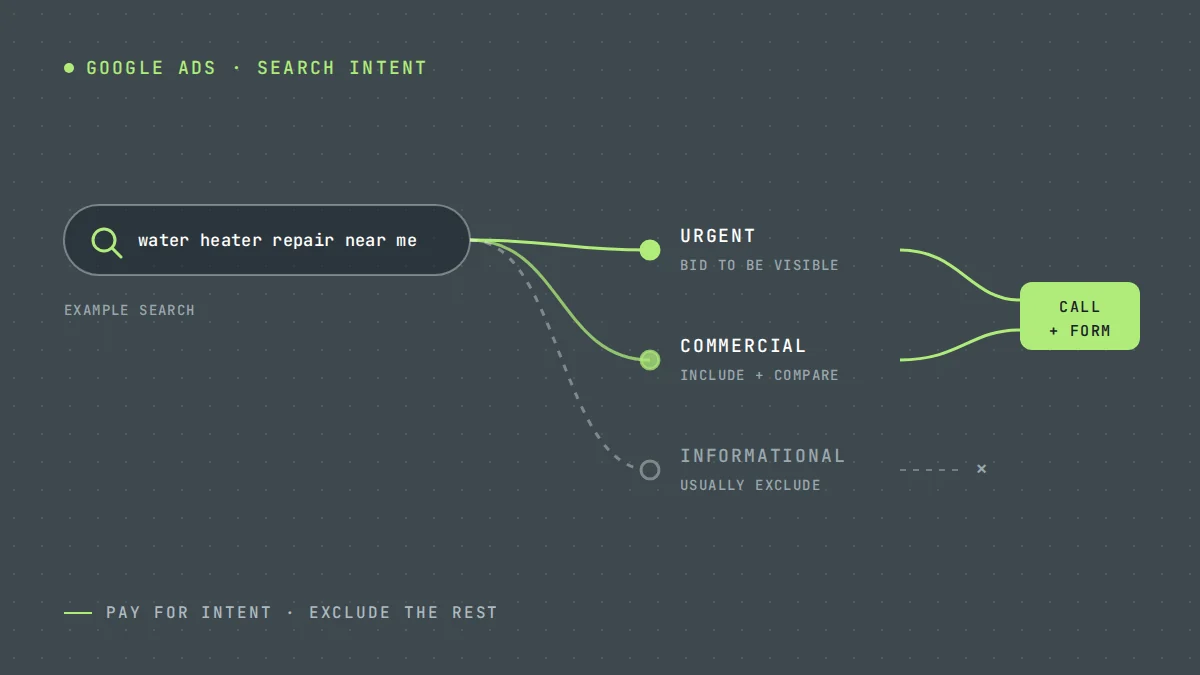
Before you redesign anything, check the search terms report on Google Ads, or the audience and placement data on Meta. Tightening targeting and adding negative keywords can raise the landing page conversion rate without changing a single word on it. Our guide to Google Ads for service businesses covers this in detail.
How to test changes without fooling yourself
Once you have fixed the obvious problems, improvement comes from testing. A few principles keep tests honest:
- Change one meaningful thing at a time, such as the headline, the offer or the form length, so you know what caused any change.
- Wait for enough data. A handful of leads is too few to call a winner. Small numbers swing randomly.
- Measure beyond the form. A change that increases leads but decreases qualified leads is not an improvement.
- Keep the traffic consistent. If you change the ads and the page at the same time, you cannot separate their effects.
A landing page checklist
- The headline matches the ad and names the service and area.
- There is one primary action, visible without scrolling on a phone.
- The phone number is tappable and near the top.
- The form asks only what is needed for this type of job.
- Real proof sits near the call to action.
- The page loads quickly on a mobile connection.
- Every form submission and call is tracked.
- The visitor knows what happens after they enquire.
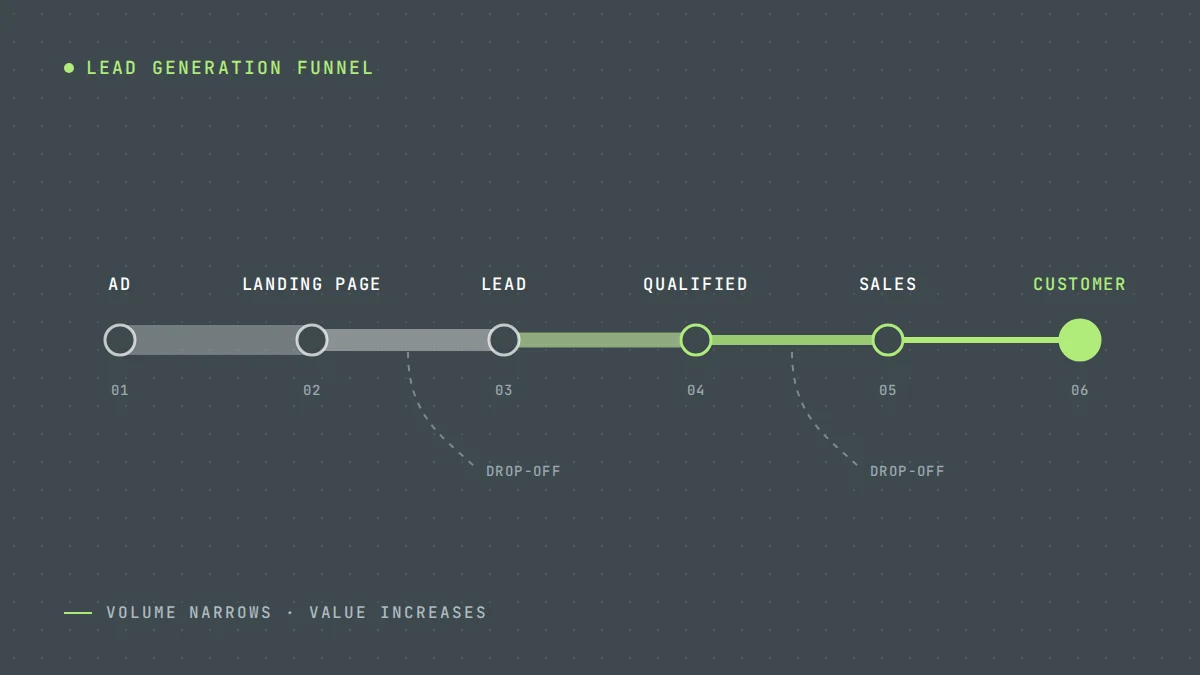
A landing page is one stage in a larger system. To see how it connects to everything before and after it, read lead generation funnel: from ad click to customer. Or, if you would like a second pair of eyes, request a free lead generation audit and we will review your landing pages alongside your ads and tracking. It is often the quickest win in the whole system.
Questions owners ask
What is a lead generation landing page?
A page built for one audience and one action, usually for paid traffic. Unlike a homepage, it focuses on a single service and makes the next step, a call or a form, obvious.
How many form fields should a landing page have?
As few as the decision needs. Urgent repair forms need a name, phone number, location and short description. Consultation forms for high-value work can ask a few qualifying questions, which reduces volume but improves lead quality.
How should I test landing page changes?
Change one meaningful thing at a time, wait for enough data before deciding, keep the traffic source consistent, and judge results on qualified leads rather than form submissions alone.
Why is my landing page getting traffic but no conversions?
First confirm that tracking works by submitting your own form and placing a test call. If it does, the usual causes are a page that does not match the ad, a vague offer, a phone number that is hard to tap, slow mobile loading, or traffic from the wrong searches. Fix the biggest mismatch first and change one thing at a time.
What is a good conversion rate for a contractor landing page?
It depends on the trade, the offer and the traffic, so there is no single benchmark worth chasing. Urgent searches, such as emergency repairs, usually convert better than early research for big projects. Track your own rate by campaign, count calls as well as forms, and improve against your own numbers.
Sources
Platform details in this article are based on the official documentation below. Platforms change their products often, so check the latest version before making decisions.
Want us to look at your own numbers?
Get a free lead generation audit. We will review your ads, landing pages and tracking, and show you where enquiries are slipping away. If nothing is broken, we will tell you that too.

LeadWise MarketingAn owner-operated lead generation agency based in Cape Town, South Africa, working with service businesses across the United States and Europe. More about LeadWise.