How to split a small ad budget between Google and Meta
A small budget split across too many channels usually means none of them get enough data to work. Start narrow, then expand on evidence.
The question usually sounds like "Should we spend 50/50 on Google and Facebook?" The honest answer is that a fixed split is the wrong way to start.
Why spreading thin fails
Both Google and Meta rely on automated bidding, which needs data. A campaign that gets three or four leads a month cannot learn much. Split a small budget four ways and you get four campaigns that never leave the learning phase.
Concentration also makes it easier to see what is working. One channel, one or two campaigns, a clear cost per job.
Where the first dollar should go
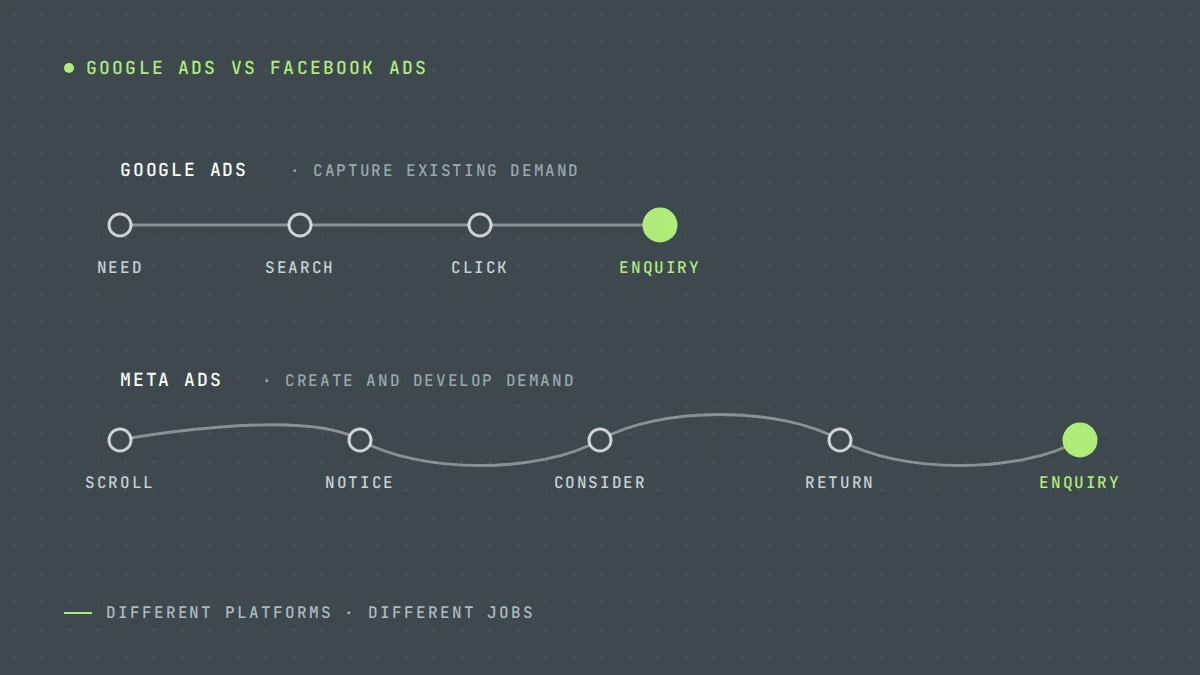
For most service businesses, it should go to Google Search. People searching "gutter repair near me" already have the need. Your job is to be there and be convincing. The Google Ads vs Facebook Ads guide explains the difference in more detail.
Exceptions exist:
- Very low search volume for your service in your area, such as a niche product in a small town
- Very high click costs that your margins cannot support yet
- Demand you need to create, such as a new type of service people are not searching for
In those cases, Meta may be the better first channel.
When to add the second channel
Add Meta once:
- Google Search is producing booked jobs at a cost you are happy with
- You are capturing most of the available search demand, and extra budget on Google is getting more expensive per lead
- You have real photos or videos to use as creative. See Meta ad creative for service businesses.
Start the second channel with enough budget to get meaningful results in a month, not a token amount.
Illustrative example
These numbers are invented to show the approach.
Month 1 to 3: $2,500 on Google Search. 30 leads, 11 booked jobs, $227 per job.
Month 4: Search is limited by available searches. Add $800 on Meta with before-and-after creative, keeping Search at $2,500.
Month 6: Meta is producing jobs at $260. Both stay; the next $500 goes to whichever is cheaper per job that month.
How to move money
Review monthly. Compare channels on cost per booked job, and on cost per customer if you can. For considered purchases, allow for the sales cycle: a Meta lead in March may become a job in May.
A simple rule: move budget in steps of 15 to 20%, toward the channel with the lower cost per job, and give each change a few weeks to settle.
What to track
- Leads, qualified leads and booked jobs by channel
- Cost per booked job by channel
- Contact rate, because Meta leads often need faster follow-up
- Share of leads from calls versus forms
For how these metrics fit together, see cost per lead vs cost per customer.
Where to start
Work out your ceiling for cost per job first, then check whether your Search campaigns are below it. For budget planning, read how much Google Ads costs for a service business.
We manage Google Ads and Meta Ads together, so budget moves on results rather than habit. Request a free audit for a view on your split.
Questions owners ask
What is the minimum budget for Google Ads and Meta together?
It depends on click costs and job value in your market. As a rule, each channel needs enough budget to produce a steady flow of leads each month. If you cannot fund both properly, fund one.
Should I split budget evenly?
Rarely. Split according to results. An even split ignores which channel is producing cheaper jobs.
How long before I can compare channels fairly?
Give each channel at least one to two months, longer for services with long sales cycles.
How much should I spend on Google Ads per month?
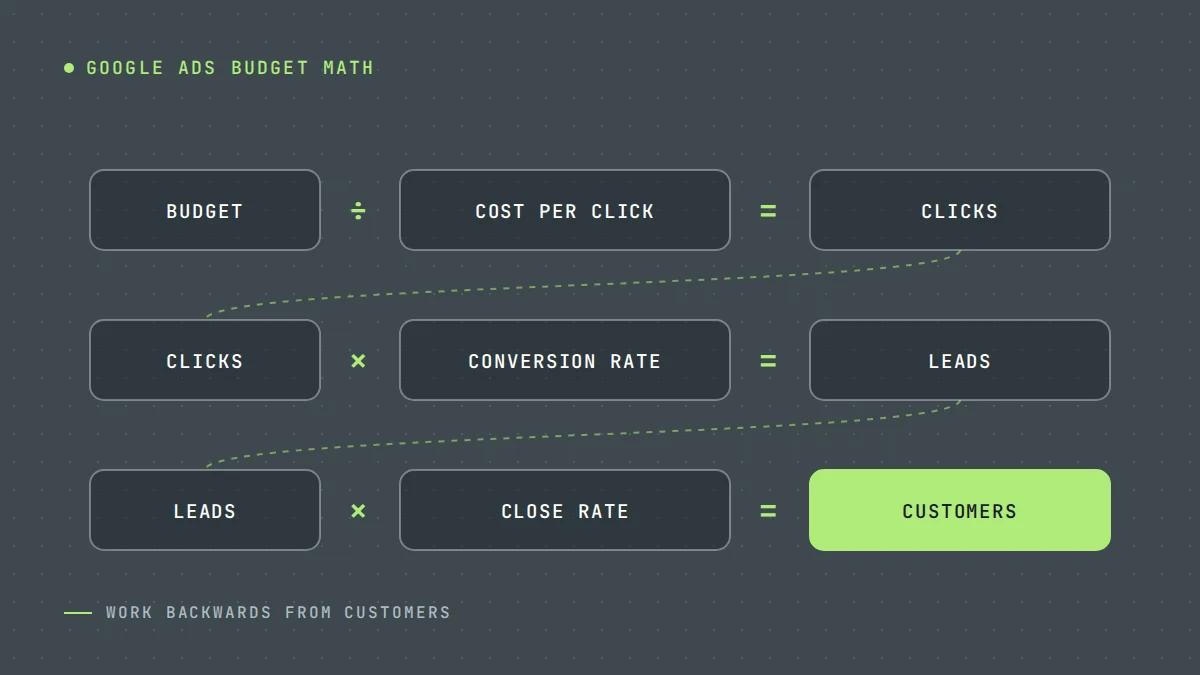
Enough to buy a meaningful number of clicks in your market every month, worked out from your cost per click and landing page conversion rate, rather than a round number. Put that amount into one channel before adding a second. The Google Ads cost guide shows the calculation.
Want us to look at your own numbers?
Get a free lead generation audit. We will review your ads, landing pages and tracking, and show you where enquiries are slipping away. If nothing is broken, we will tell you that too.

LeadWise MarketingAn owner-operated lead generation agency based in Cape Town, South Africa, working with service businesses across the United States and Europe. More about LeadWise.