Negative keywords for service businesses: Stop paying for the wrong searches
Google matches your ads to more searches than you would ever choose yourself. Negative keywords are the filter, and most accounts do not use them nearly enough.
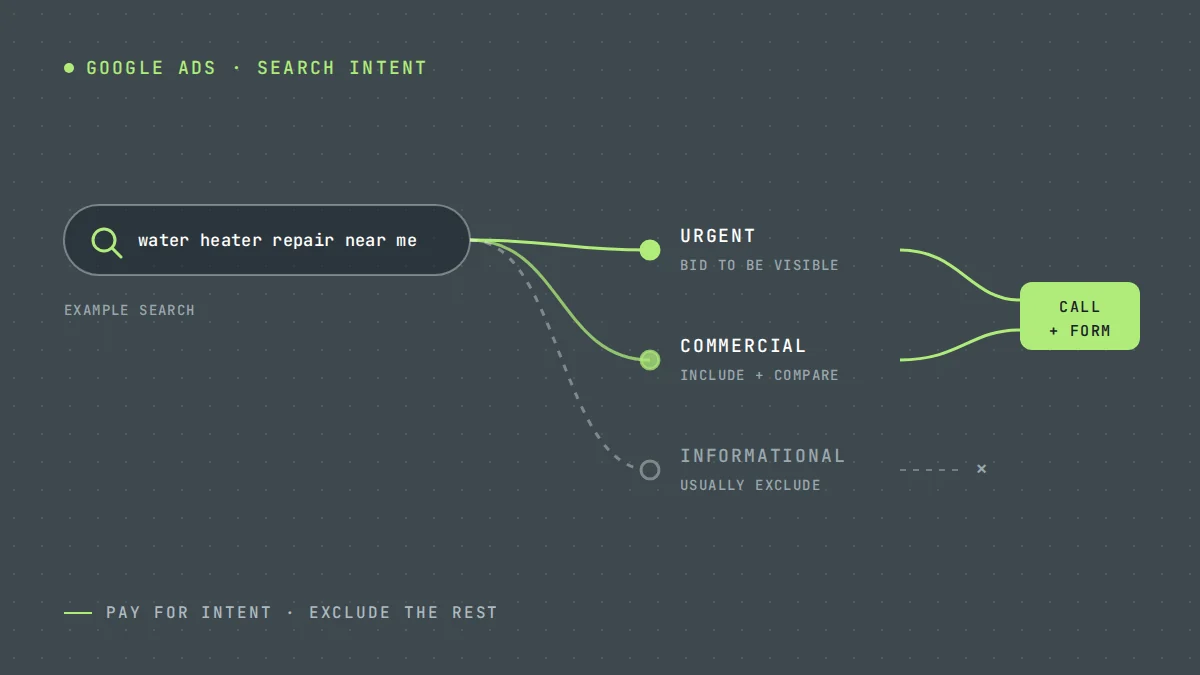
When you add the keyword "emergency plumber" to a Google Ads campaign, you are not only buying that exact search. Depending on your match types, Google may show your ad for "plumber jobs near me", "how to become a plumber" or "plumber salary". Each click costs the same as a real customer's.
Negative keywords are how you tell Google which searches to leave out.
How negative keywords work
A negative keyword prevents your ad from showing when a search contains that term. Google Ads supports negative broad, phrase and exact match, and they behave differently from normal keywords. Negative keywords do not automatically match close variants like plurals or misspellings, so you may need to add those separately.
You can add negatives at campaign level, ad group level, or in a shared list that applies to several campaigns.
A starter list for service businesses
These cover the most common wasted searches in the trades. Review each one against your own business before adding it.
- Jobs and careers: jobs, hiring, career, salary, apprenticeship, resume, employment
- Training: course, training, school, certification, license, how to become
- DIY: how to, diy, tutorial, video, youtube, yourself
- Free and cheap: free, cheap (if you do not compete on price)
- Wrong service: products or services you do not offer, such as "rental" or "parts"
- Wrong location: towns or regions outside your service area
- Research-only: definition, meaning, what is, wiki
A word of caution
"How to" is a good negative for most emergency trades. It can be a poor one for a solar installer, where "how to reduce my electricity bill" might be a genuine buyer. Think about intent, not just the words.
Negative keywords by trade
The starter list covers searches every service business attracts. Each trade also has its own, usually around parts, products and training. These are examples to check against your own search terms report, not a list to paste in blind. If you sell or install a product, some of them may be searches you want.
| Trade | Examples to review |
|---|---|
| Plumbing | plumbing supplies, pipe fittings, plumber salary, plumbing school, drain snake |
| HVAC | hvac certification, thermostat manual, ac unit for sale, window ac, hvac technician jobs |
| Roofing | roofing shingles, roofing nailer, metal roofing panels, roofing calculator, roofer jobs |
| Electrical | electrician apprenticeship, wire gauge chart, breaker box for sale, electrical code |
| Solar | portable solar panels, solar generator, solar lights, solar panel kit |
| Cleaning | cleaning jobs, cleaning supplies, how to clean, cleaning checklist |
| Landscaping | landscaping rocks, lawn mower, landscaping jobs, garden center |
Use phrase or exact match negatives for multi-word terms so you do not block more than you mean to. "Roofing calculator" as a broad match negative also blocks "roofing cost calculator", which some roofers want. For how these fit into a full campaign, see Google Ads for contractors.
Use the search terms report
Your starter list will not catch everything. The search terms report shows the actual searches that triggered your ads. Review it:
- Weekly for the first four to six weeks of a new campaign
- Monthly once the campaign is stable
- Immediately after changing match types or adding broad match keywords
For each irrelevant search, ask whether a negative keyword would block only that search or also some good ones. Add the narrowest negative that solves the problem.
Illustrative example
These numbers are invented to show the effect.
A roofing company spends $3,000 a month. A search terms review shows 14% of spend went to job seekers, DIY repair videos and a town outside the service area. Adding 25 negatives moves roughly $420 a month back towards searches that can become customers.
Common mistakes
- No negatives at all. Especially common in accounts set up by the business owner or a quick-start wizard.
- Negatives that are too broad. Adding "repair" as a negative because of "repair manual" searches will also block "roof repair near me".
- Conflicts with your own keywords. Google warns you about some conflicts, but not all.
- Set and forget. Search behaviour changes, and so does the way Google matches.
Where to start
Open your search terms report for the last 30 days and sort by cost. The top 20 rows will usually show you where the biggest waste is. For a broader look at campaign structure, read Google Ads for service businesses.
Search term reviews are part of every account we run under Google Ads management. If you would like us to look at yours, request a free audit.
Questions owners ask
How many negative keywords should I have?
There is no target number. A mature service account often has hundreds, but what matters is that the search terms report shows mostly relevant searches.
Can negative keywords hurt my campaign?
Yes, if they are too broad. A negative that blocks good searches reduces your reach without you noticing. Check new negatives against your best-performing search terms.
Do negative keywords work in Performance Max?
Performance Max now supports campaign-level negative keywords, as well as account-level negatives. Check Google's current documentation, as the options have changed several times.
Should I use a shared negative keyword list?
Yes, for terms that should never trigger any campaign, such as jobs, salary, training and free. Google Ads lets you save them as a negative keyword list and apply it to every campaign. Keep service-specific negatives at campaign or ad group level, so one campaign's exclusions do not block another campaign's customers.
Sources
Want us to look at your own numbers?
Get a free lead generation audit. We will review your ads, landing pages and tracking, and show you where enquiries are slipping away. If nothing is broken, we will tell you that too.

LeadWise MarketingAn owner-operated lead generation agency based in Cape Town, South Africa, working with service businesses across the United States and Europe. More about LeadWise.